


Carplay Auto Sync
2.815.00 Reviews
App Specs
- Version
- 1.22
- Updated On
- License
- Free
- Downloads
- 100,000+
- Developer
- Roshnee tech
- Categories
- Auto & Vehicles
- Platform
- Android
Screenshots
 Analysis by AppCompare
When I judge a car-connectivity app, I care as much about what I can verify and control as I do about the promise of a tidier dashboard. A phone linked to a vehicle can put navigation, audio and communication within reach, but that convenience also makes the setup worth approaching thoughtfully. Carplay Auto Sync is a free Auto & Vehicles app from Roshnee tech, with a 2.8 average from around 170 ratings and over 100K installs. That mixed reception is a reason to try it carefully rather than assume it will suit every phone and car.
Start with the connection, not the promise
The app is aimed at getting a phone and a car display working together, which sounds simple but depends on more than an app alone. Your vehicle’s system and your phone both matter, so I would check that the car already supports the kind of connection I want before relying on this as a fix. A phone app cannot make an incompatible dashboard behave like a supported one.
For a first test, I’d set things up while parked and try one task at a time: connect, open a navigation option, then check audio. That makes it easier to spot whether a problem comes from pairing, the car interface or the app itself. I would not make the first attempt during a commute, when a confusing prompt or a dropped connection could become a distraction.
What the rating means for a cautious user
The overall rating is modest, so I would treat compatibility and reliability as questions to answer on my own setup rather than as guaranteed strengths. Ratings cannot tell me exactly what another driver’s car or phone is like, but they do make a little patience sensible. I’d check the basic connection before changing my usual driving routine or depending on the app for an unfamiliar route.
The app is free to install, though it offers in-app purchases priced from $6.99 to $35.99 per item. That makes it especially important to decide whether the core experience works for you before spending anything. I’d also review any purchase screen carefully and avoid confirming an item unless its cost and purpose are clear.
Permissions and personal information deserve a pause
Car connectivity can bring sensitive moments together: location while navigating, contacts or call-related access when communicating, and listening choices when audio is involved. Those are examples of information that similar workflows may touch, not a claim about this app’s specific permissions or data handling. My practical rule is to read each permission request on the device and grant only what is needed for the feature I actually intend to use.
If a request appears before I understand why the app needs it, I would pause rather than tap through automatically. A useful test is to try the basic connection first, then consider any additional access only when a feature genuinely depends on it. That keeps the decision tied to a real task instead of handing over access on the assumption that every prompt is essential.
Worth Reading Before You Choose

EA SPORTS FC Mobile 26 Is a Bigger Football Game, but It Takes Time

Flipboard Shows What News Apps Must Do Beyond the Feed

Switching to Android Auto Means Rethinking Your Driving Routine

Google Calendar Makes a Crowded Week Easier to Manage

Ludo King Makes the Most of the Minutes Between Plans

Baby Panda World Brings Quick Play to Modern Phones, but Its Game Library Feels Busy
Keep control while driving
Even a well-connected display can tempt a driver to fiddle with settings at the wrong moment. I’d choose a route and audio before moving, keep the phone secured, and ask a passenger to handle any troubleshooting. If something stops working on the road, the safest response is to pull over somewhere appropriate before investigating, not to chase a connection while driving.
For messaging and calls, I would rely on the controls I already know rather than assume every phone, car or app combination will handle voice interaction in the same way. A feature that works in a parked test may still be awkward in traffic or noisy conditions. If hands-free use is inconsistent, I’d leave messages until the trip is over.
Who may find it useful—and who should look elsewhere
This app is most worth a cautious trial for someone whose car already has a compatible screen, who wants to explore a phone-to-dashboard connection, and who is comfortable checking permissions and testing the setup before depending on it. It may also suit a driver who wants to see whether a separate sync app fits their routine without paying an upfront download price.
I would skip it if I needed a proven, dependable connection for daily work immediately, if my car’s display does not support the relevant connection method, or if I am not comfortable granting the access required for the features I want. Someone who already gets reliable navigation and audio through the vehicle manufacturer’s built-in system may have little reason to add another layer.
Compared with using a car’s native interface, a separate sync app can be appealing when it offers a route into phone-based tools, but it also creates another point where compatibility or setup can fail. Using the phone on its own avoids some dashboard pairing steps, yet can be less convenient to view and control. I would choose the simplest option that works reliably in my own car, rather than assume one approach is best for every driver.
A sensible test drive for the app
On an ordinary day, I’d use a short, familiar trip as the trial: connect while parked, set a destination I already know, and start a playlist or spoken audio before pulling away. The familiar route lets me notice whether the display is readable and the connection stays usable without making navigation itself an extra challenge. I’d avoid testing new settings while moving, and I’d keep a normal backup plan in case the display does not cooperate.
One useful trade-off is deciding what to connect first. Navigation is the most practical starting point if the purpose is directions; audio is a better first check if I mainly want listening controls. Testing one at a time makes failures easier to diagnose and reduces the urge to tap through several screens. If the connection drops, I’d note when it happened and repeat the same simple test while parked before changing multiple settings at once.
Another worthwhile habit is to check how the app behaves after a restart or after disconnecting from the car, before making it part of a daily routine. That can reveal whether the setup is easy to repeat and whether I am comfortable with the permissions I allowed. I would also keep purchases separate from basic troubleshooting: paying for an item should not be my first response to a connection problem unless I understand exactly what that item provides.
What I would confirm before relying on it
Before installing, I’d check the device requirements: the current release is version 1.15 and it requires Android 9 or later. It is rated Everyone, which describes its content rating rather than guaranteeing that every feature is suitable for every driver or vehicle. The app was released on December 12, 2024, so I’d still judge it by how it behaves on my own setup rather than by its age.
The natural questions are whether it works with a particular car, whether it needs a specific connection method, and which permissions or paid items apply to the features a person wants. I would answer those through the app’s on-device prompts and a parked test, not by assuming all vehicles and phones behave alike. If the setup requests access I do not want to grant, or if it requires a purchase whose purpose is unclear, I would stop and use a familiar alternative.
For people comparing options, the decision is less about having the most connected dashboard and more about avoiding extra friction. A built-in system is usually the simpler choice when it already handles the needed tasks. A phone mount and standalone navigation may be preferable when compatibility is uncertain or when I want fewer app-to-car dependencies. I would keep this app only if the connection adds a clear benefit without making permissions, purchases or setup harder to manage.
How it feels in everyday use
Hey there! So, I recently got the chance to play around with Carplay Auto Sync, and let me tell you, it's a game-changer for anyone spending a decent amount of time behind the wheel. If you’re like me and always on the lookout for ways to make your driving experience smoother and more connected, then buckle up. Let’s dive into what this app brings to the table.
Seamless Integration with Your Car
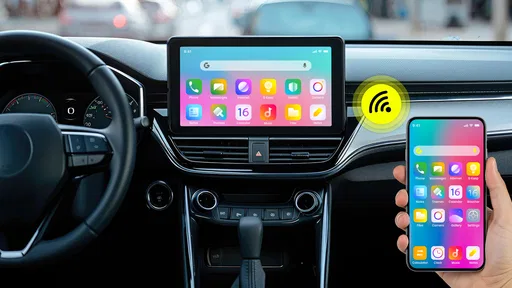
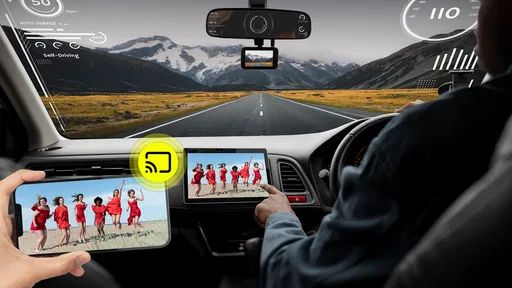
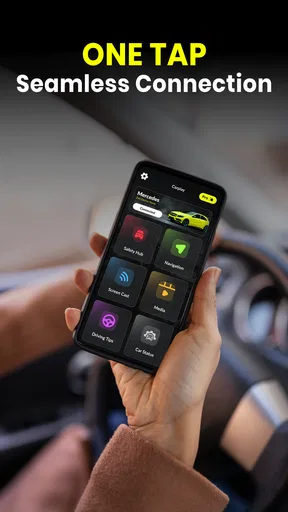
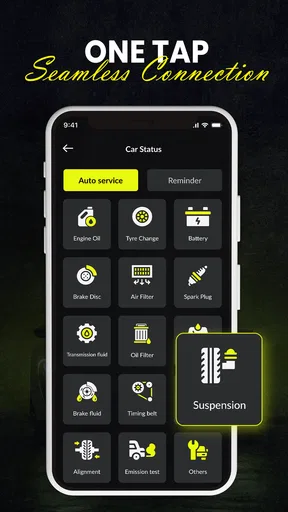
First things first, Carplay Auto Sync makes it super easy to sync your smartphone with your car’s system. The setup is straightforward—no need to be a tech wizard here. Just a couple of taps, and boom, your favorite apps from your phone are right there on your car’s display. It’s like having your smartphone riding shotgun with you.
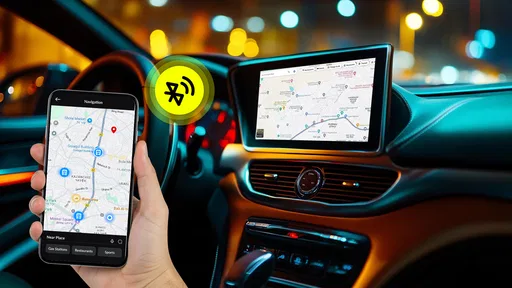
I love how it integrates with popular navigation apps like Google Maps and Waze. Whether you’re heading to a new restaurant across town or just trying to dodge traffic, having real-time updates and directions right in front of you is a lifesaver.
Entertainment on the Go
Now, let's talk entertainment. With Carplay Auto Sync, all your music apps are easily accessible. I switched between Spotify, Apple Music, and even some podcasts without any hassle. The interface is intuitive, so you’re not fumbling around trying to find your playlist while driving. Safety first, right?
And if you’re into audiobooks, the app supports all the major players. Just hit play, and enjoy your favorite stories while cruising down the highway.
Stay Connected, Hands-Free
This app isn’t just about navigation and tunes; it’s also about keeping you connected. I found the hands-free calling feature incredibly useful. The voice recognition is spot-on, so you can make calls or send texts without taking your eyes off the road. It’s like having your own personal assistant in the car.
Plus, the app supports a variety of messaging apps. So whether you’re team WhatsApp or prefer good old SMS, you can stay in the loop without any distractions.
Customizable and User-Friendly
One of the things I appreciate about Carplay Auto Sync is how customizable it is. You can tailor the interface to suit your needs, rearranging app icons, adjusting settings, and more. It’s your car, your rules!
The user interface is sleek and user-friendly. Even if you’re not tech-savvy, you’ll find it easy to navigate. The developers clearly put a lot of thought into making sure the app is as intuitive as possible.
Compatibility and Performance
When it comes to compatibility, Carplay Auto Sync plays nicely with a wide range of vehicles. I tested it in a couple of different cars, and it worked flawlessly each time. The connection was stable, and I didn’t experience any lag or dropouts.
Performance-wise, the app is swift and responsive. Whether you’re switching between apps or adjusting settings, everything works seamlessly. It’s refreshing to use an app that doesn’t make you wait around.
A measured recommendation
As an Auto & Vehicles app from Roshnee tech, it has an appealing goal: make familiar phone functions easier to reach from a car display. But the rating of 2.8 is a useful reminder that my smooth test should not be treated as a promise for every vehicle. I’d try the connection at home or while parked before trusting it on a regular route, and I’d keep the option of a built-in system or a simple phone mount in mind if the setup proves unreliable.
Overall, I’d consider it only after checking compatibility, permissions and any purchase prompts, then deciding whether the convenience is worth keeping. It is free to download, but in-app items range from $6.99 to $35.99, so I would not spend until I knew what I was buying and had confirmed the basic experience worked. The Everyone rating makes it broadly accessible by content category; it does not replace careful use behind the wheel.
For a driver who enjoys testing a phone-to-car connection and can afford a little setup time, Carplay Auto Sync may be worth a careful try. For someone who needs dependable, hands-free operation from the first trip, a well-functioning native car system is the safer bet. I’d let a calm, parked test—not the promise of a more connected drive—make the decision.
Pros
- Seamless integration with car systems.
- User-friendly interface for easy navigation.
- Supports a wide range of apps.
- Real-time updates and notifications.
- Voice command functionality enhances safety.
Cons
- Limited customization options.
- Some features require paid version.
- Occasional connectivity issues.
- Not compatible with older car models.
- Requires stable internet connection.
FAQs for Carplay Auto Sync
What is Carplay Auto Sync and how does it work?
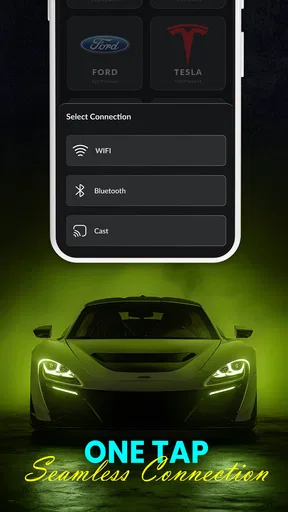
Carplay Auto Sync is an app designed to seamlessly connect your iOS or Android device to your car's infotainment system. It enhances your driving experience by providing access to navigation, music, and messaging apps directly on your car's display. The app works by automatically syncing your device with the car's system using Bluetooth or USB.
Is Carplay Auto Sync compatible with all car models?
Carplay Auto Sync supports a wide range of car models, but not all vehicles are compatible. It primarily works with modern cars equipped with infotainment systems that support Apple CarPlay or Android Auto. Before downloading, it's advisable to check your car's manual or contact the manufacturer to confirm compatibility.
Does using Carplay Auto Sync affect my phone’s battery life?
While using Carplay Auto Sync, your phone may consume more battery due to continuous connectivity and GPS usage. However, most cars offer charging ports that you can use to keep your device charged while driving. It’s recommended to keep your phone connected to the vehicle’s power supply to prevent battery drain.
Can I use voice commands with Carplay Auto Sync?
Yes, Carplay Auto Sync fully supports voice commands, allowing you to operate the app hands-free. You can use virtual assistants like Siri or Google Assistant to make calls, send messages, or navigate without taking your hands off the wheel, enhancing safety and convenience while driving.
Is there a subscription fee for Carplay Auto Sync?
Carplay Auto Sync offers a free version with basic features, but there might be a subscription fee for premium features such as advanced navigation options, ad-free experience, and exclusive app integrations. Be sure to review the pricing details within the app to understand the available plans and features.


